
What Is a VIT GPA Calculator?
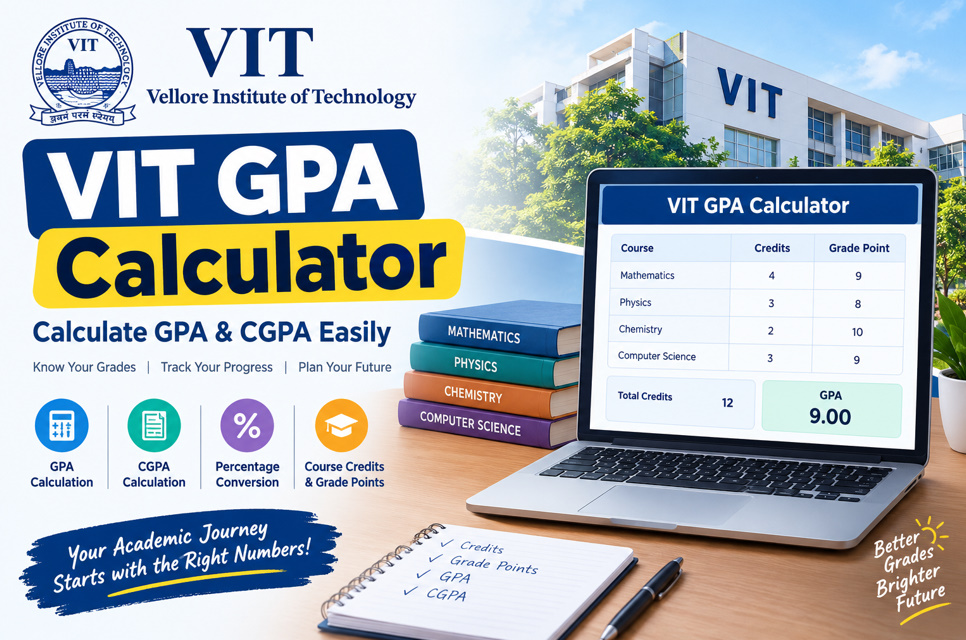
A VIT GPA calculator is a simple academic tool that helps VIT students estimate their Grade Point Average for a semester. It uses the grade points earned in individual courses together with their credit values. Because courses may carry different credits, the calculator uses a weighted calculation instead of simply averaging all grades.
For students following VIT’s Fully Flexible Credit System (FFCS), a GPA calculator can make semester performance easier to understand. By entering course names, credits, and grade points, students can quickly estimate their GPA and identify how different subjects contribute to their overall academic performance.
- Calculates semester GPA
- Uses course credits
- Uses grade points
- Saves calculation time
- Reduces manual errors
- Helps track performance
- Supports academic planning
- Useful for quick estimates
How Does the VIT GPA Formula Work?
The basic VIT GPA formula is based on a weighted average. For every course, the grade point is multiplied by the number of credits. The resulting grade-point credits are added together, and that total is divided by the total number of applicable credits registered during the semester.
In simple terms, a higher-credit course has a larger effect on your GPA than a lower-credit course. This is why students should enter the correct credit value for every subject when using a VIT GPA calculator. A calculator following the official formula can make this process much easier.
- GPA = weighted average
- Grade point × credits
- Add all weighted values
- Add applicable credits
- Divide weighted total by credits
- Check every course
- Verify grade points
- Round the result appropriately
How to Calculate VIT GPA Manually
To calculate GPA manually, first make a list of your semester courses. Write down the credit value and grade point for each course. Next, multiply each course’s credits by its grade point. Add all these products together and divide the result by the total applicable credits.
For example, suppose three courses have 4, 3, and 2 credits, with grade points of 9, 8, and 10 respectively. Their weighted points are 36, 24, and 20. The total is 80, while total credits are 9, giving a GPA of approximately 8.89.
- List every course
- Record course credits
- Record grade points
- Multiply credits by points
- Add weighted points
- Add total credits
- Divide the totals
- Round the GPA
GPA vs CGPA at VIT
GPA and CGPA are related but they measure different academic periods. GPA represents performance for a particular semester, whereas CGPA represents cumulative academic performance across the applicable semesters and courses. Understanding this difference is important when checking academic records, planning future semesters, or discussing your performance.
A VIT CGPA calculator therefore requires broader information than a semester GPA calculator. Instead of entering only the current semester, students may need course and credit information from multiple semesters. The weighted-average principle remains important because credits influence the cumulative result.
- GPA covers a semester
- CGPA covers cumulative performance
- GPA uses semester courses
- CGPA uses applicable courses
- Both use grade points
- Credits affect both
- CGPA changes over time
- Check your grade sheet
Understanding VIT Grade Points
Grade points are numerical values associated with the letter grades awarded for courses. When using a VIT GPA calculator, students normally convert their awarded letter grades into the corresponding grade points required by the applicable academic regulations. The calculator then combines these points with course credits to produce the weighted GPA.
VIT uses grading procedures that can include relative grading for eligible courses, while certain course categories follow other grading approaches. Because grading rules can change by academic regulation or course category, students should use the grade actually awarded on their official academic record rather than guessing a grade from marks alone.
- Check the awarded grade
- Use the correct grade point
- Do not guess final grades
- Consider course credits
- Check current regulations
- Review your grade sheet
- Verify unusual course types
- Keep academic records
How Credits Affect Your VIT GPA
Credits are one of the most important parts of a GPA calculation. A course with more credits contributes more heavily to the weighted average than a course with fewer credits. Therefore, improving performance in a higher-credit subject can have a different mathematical effect from improving the same number of grade points in a lower-credit subject.
This credit-weighted approach makes a VIT GPA calculator more useful than a basic grade average. Students can enter every course individually and allow the calculation to account for different credit values. Always confirm credits from your registered course information before calculating your semester GPA.
- Credits determine weight
- Higher credits have greater influence
- Lower credits have less influence
- Check registered credits
- Include applicable courses
- Avoid duplicate entries
- Verify course details
- Recalculate when credits change
How to Use an Online VIT GPA Calculator
Using an online VIT GPA calculator is generally straightforward. Start by entering each subject or course, followed by its credit value and awarded grade or grade point. The calculator should then multiply the grade point by the course credits and calculate the weighted average automatically.
Before accepting the result, check that every course has been entered correctly. A missing course, incorrect credit value, or wrong grade point can produce an inaccurate GPA. Online calculators are useful for estimation, but the official grade sheet remains the appropriate academic record for your final result.
- Enter each course
- Add credit values
- Enter grade points
- Check every row
- Review the calculation
- Confirm the total credits
- Save your estimate
- Compare with official records
Tips for Improving and Tracking Your VIT GPA
A GPA calculator is not only useful after grades are released. Students can also use GPA calculations to understand how course credits influence academic performance and to monitor changes between semesters. Keeping a simple academic record can make it easier to identify subjects that have a larger numerical effect on GPA.
For accurate academic planning, focus on understanding your actual grades, credit structure, and course requirements rather than relying on rough assumptions. Remember that a calculator estimates the mathematical result from the information entered; it does not determine the grade awarded by VIT.
- Track GPA every semester
- Record course credits
- Keep grade information
- Check CGPA regularly
- Review your grade sheet
- Avoid incorrect inputs
- Understand weighted averages
- Use current regulations