
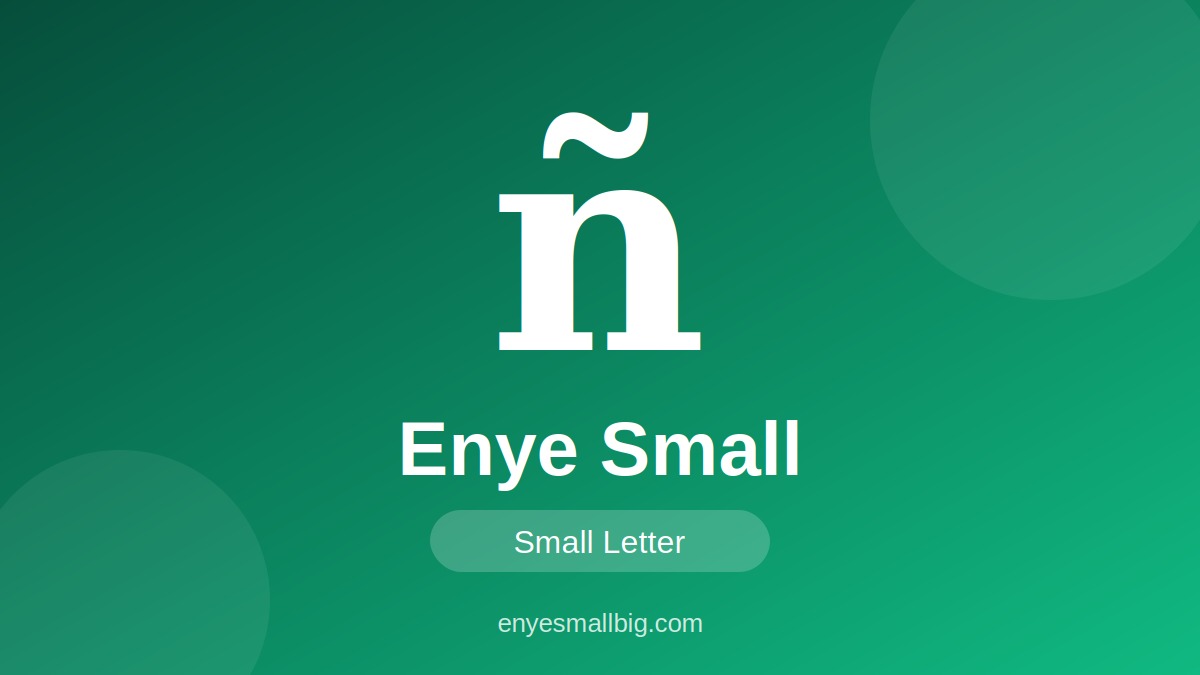
The enye small letter (ñ) is a special character used in Spanish and several other languages. It looks like the lowercase letter n with a small wave-shaped mark called a tilde above it. This letter is essential for correct spelling, pronunciation, names, and everyday vocabulary. If your keyboard does not include ñ, you can copy it directly and paste it into your preferred application.
The nye letter comes in two forms: lowercase ñ and uppercase Ñ. The lowercase form is commonly used in words such as niño, año, and señor, while the uppercase form appears when capitalization is required. This guide explains how to copy, type, and use both characters correctly in documents, messages, websites, and social media content.
1. What Is Enye Small (ñ)?
The enye small character is the lowercase form of the Spanish letter eñe. It consists of a small n with a tilde above it, making it different from the ordinary English letter n. In Spanish, ñ is a distinct letter with its own pronunciation and place in the alphabet. The tilde is an essential part of the character, not an optional decoration.
You can find lowercase ñ in Spanish vocabulary, personal names, geographical names, books, websites, and everyday digital communication. Students, language learners, translators, and content creators may need this letter when writing multilingual text. If your keyboard does not provide a dedicated key, using enye copy paste is a simple way to enter it.
- Lowercase enye: ñ
- Uppercase counterpart: Ñ
- Letter name: Eñe
- Common language: Spanish
- Symbol above the letter: Tilde
- Unicode lowercase: U+00F1
- Unicode uppercase: U+00D1
- HTML entity:
ñ - Uppercase HTML entity:
Ñ - UTF-8 encoding for ñ:
C3 B1 - Used in Spanish words and names
- Supported by most modern text editors
2. Enye Small and Enye Big: Key Differences
The enye small letter ñ and enye big letter Ñ are lowercase and uppercase forms of the same letter. Their use depends on capitalization rules, sentence structure, and the spelling of a particular word or name. Lowercase ñ generally appears in ordinary words, while uppercase Ñ is used when a letter needs to be capitalized.
Both forms retain the tilde above the N. Removing this mark changes the character to an ordinary n and may result in incorrect spelling or a different meaning. Understanding the difference between these two forms helps you write accurately in Spanish, prepare educational materials, and create professional multilingual content.
- Lowercase character: ñ
- Uppercase character: Ñ
- Both represent the letter eñe
- Both contain a tilde
- Lowercase ñ appears in ordinary words
- Uppercase Ñ appears in capitalized text
- Unicode for ñ: U+00F1
- Unicode for Ñ: U+00D1
- Both are used in Spanish writing
- Both can be copied and pasted
- Both work in most modern applications
- Correct capitalization improves readability
3. N Nye: Understanding the Difference Between N and Ñ
The keyword n nye may refer to the Spanish letter ñ, which differs from the ordinary lowercase n. Although the letters look similar, ñ represents a different sound in Spanish, broadly similar to the “ny” sound in the English word “canyon.” The tilde distinguishes the character visually and helps readers recognize the correct pronunciation.
Using ñ correctly matters because replacing it with n can change a word’s spelling and meaning. For example, año means “year,” whereas ano has a different meaning in Spanish. Language learners, translators, and content writers should therefore preserve the tilde whenever it is required, particularly in names, educational material, and professional communication.
- Ordinary lowercase n: n
- Lowercase enye: ñ
- Uppercase enye: Ñ
- N does not have a tilde
- Ñ includes a tilde
- Ñ is a distinct Spanish letter
- Its pronunciation resembles “ny”
- The tilde must be preserved
- Incorrect spelling may change meaning
- Spanish names should retain their original spelling
- Use ñ in words that require it
- Check special characters before publishing
4. Enye Copy Paste: Copy the Small Letter Easily
The enye copy paste method allows you to use lowercase ñ without changing your keyboard settings. You can copy the character from this article and paste it into Microsoft Word, Google Docs, emails, social media posts, search boxes, and other applications. This method is especially useful when you are using a standard English keyboard that does not display the enye letter directly.
To copy the character, select ñ, use your device’s copy command, and paste it into the required location. Windows users can generally press Ctrl+C to copy and Ctrl+V to paste, while Mac users can use Command+C and Command+V. On mobile devices, you can select the character using the available text-selection controls.
Copy lowercase enye: ñ
Copy uppercase enye: Ñ
- Copy ñ for lowercase text
- Copy Ñ for uppercase text
- Select the character carefully
- Use Ctrl+C on Windows
- Use Ctrl+V on Windows
- Use Command+C on Mac
- Use Command+V on Mac
- Paste the character into Word
- Use it in Google Docs
- Add it to emails and messages
- Include it in social media captions
- Check that the tilde remains visible
5. How to Type Enye Small on Different Devices
Typing the nye letter depends on your device, operating system, and keyboard layout. Spanish keyboards usually include a dedicated Ñ key, while English keyboard users may need an Alt code, an international keyboard layout, or a character-selection tool. Smartphones also commonly provide ñ through additional characters displayed when you press and hold the N key.
On Windows, Alt+0241 can produce ñ in compatible applications when entered using the numeric keypad. On Mac, the Character Viewer provides access to special characters. On Android and iPhone, the long-press method often works with supported keyboards. If these options are unavailable, copying ñ directly remains a straightforward alternative.
- Windows: Try Alt+0241 on the numeric keypad
- Mac: Open Character Viewer
- Spanish keyboard: Use the dedicated Ñ key
- Android: Press and hold N on supported keyboards
- iPhone: Press and hold N on supported keyboards
- Chromebook: Check international keyboard settings
- Microsoft Word: Use Insert Symbol
- Google Docs: Use Insert Special Characters
- Check the keyboard language
- Select lowercase ñ when needed
- Use uppercase Ñ for capitalized text
- Copy and paste the letter if shortcuts fail
6. Common Words and Uses of the Nye Letter
The nye letter appears in many familiar Spanish words, making it useful for language learning, translation, reading, and writing. Recognizing this character helps readers pronounce words correctly and understand the importance of accurate spelling. It also appears in personal and geographical names, where preserving the original character is important.
When writing Spanish vocabulary, always use ñ where required instead of substituting an ordinary n. The letter can appear in the middle of a word and is frequently found in educational resources, travel content, online dictionaries, and multilingual websites. The following examples demonstrate common uses of lowercase enye in everyday Spanish.
- Niño — boy
- Niña — girl
- Año — year
- Señor — Mr. or gentleman
- Señora — Mrs. or a formal title for a woman
- España — Spain in Spanish
- Pequeño — small
- Mañana — tomorrow or morning, depending on context
- Español — Spanish
- Sueño — dream or sleep
- Cumpleaños — birthday
- Enseñar — to teach
7. Frequently Asked Questions About Enye Small
Many people search for enye small when they need to type or copy the lowercase ñ quickly. Others want to understand how it differs from the uppercase form, learn its pronunciation, or find a suitable keyboard shortcut. This letter is especially important for people learning Spanish and those who create digital content containing Spanish words or names.
Whether you are preparing an assignment, editing a document, writing a message, or building a website, using the correct character helps maintain spelling accuracy. The following questions cover common concerns about lowercase enye, enye capital, Unicode, pronunciation, and copy-and-paste options.
- What is enye small? It is the lowercase Spanish letter ñ.
- What is enye big? It is the uppercase letter Ñ.
- What is the name of the letter? It is called eñe in Spanish.
- What is the Unicode for ñ? U+00F1.
- What is the Unicode for Ñ? U+00D1.
- How can I copy ñ? Select the character and use your device’s copy command.
- How do I type ñ on Windows? Try Alt+0241 with a numeric keypad in a compatible application.
- Can I use ñ in Microsoft Word? Yes, Microsoft Word supports this character.
- Can I type ñ on my phone? Yes, many mobile keyboards offer it when you press and hold N.
- Is ñ the same as n? No, ñ is a distinct letter with a different pronunciation in Spanish.
- Which languages use ñ? Spanish and several other languages use this character.
- Why is the tilde important? It distinguishes the letter and represents its characteristic pronunciation.
Conclusion
The enye small letter ñ is essential for accurate Spanish spelling, multilingual writing, and digital communication. Its uppercase counterpart, enye big (Ñ), is used when capitalization is required. By understanding the difference between n and ñ, learning how to type the character, and using enye copy paste, you can quickly enter the correct nye letter into documents, messages, and websites. Whenever you need the enye capital character, you can copy Ñ directly from this guide.